
JunoMarkets BI
Enterprise BI analytics workspace for broker operations. Centralizes MT4/MT5 trading stats, marketing campaigns, client retention, and risk management into 7 dashboard suites.
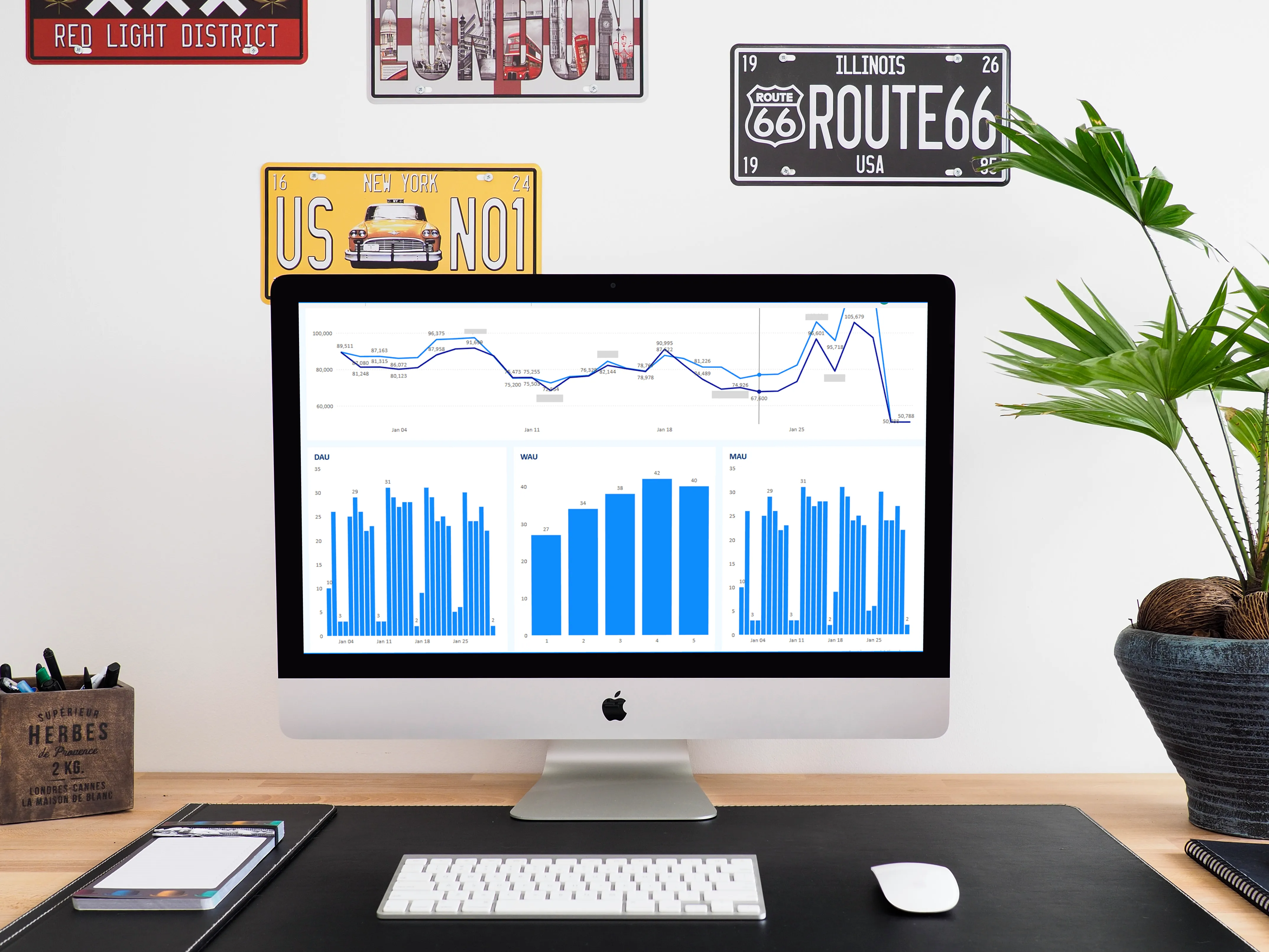
01 — Overview
Overview
a. Project Context & Client Objectives
JunoMarkets operates as a multi-platform retail brokerage processing millions of daily transactions across different MetaTrader servers. Our team was commissioned to build an enterprise business intelligence platform to eliminate fragmented operational reporting. The primary objective was to consolidate real-time datasets from disparate sources—including MT4 server databases (e011_closed_trade_mt4, d011_floating_trade_mt4), MT5 servers (e021_closed_trade_mt5, d021_floating_trade_mt5), and internal CRM transaction ledgers—into a single visual analytics workspace.
The brokerage required visibility across multiple business functions: sales pipeline metrics, marketing campaign conversions, daily active client trends, net deposit liquidity, risk exposure, and client support service levels. We designed a suite of 7 specialized dashboards to provide granular analytics while ensuring strict access controls across hierarchical groups (Support Leaders, Team Leaders, and Directors).
b. BI Flow & Ingestion Pipeline
We engineered an event-driven data ingestion pipeline that synchronizes transaction records from raw PostgreSQL servers to centralized Power BI Dataflows in the cloud. Raw database tables—such as f011_trs_deposit, f021_trs_withdrawal, and pbi_sales_trade_statistic—are queried directly from the prod_juno database instances. To standardize financial attributes, our queries automatically execute conversions on US Cent (USC) variables, dividing all transaction amounts by 100 for correct currency formatting.
Dataflows serve as the centralized data preparation layer, executing queries, caching datasets, and feeding clean entities to individual reports. This design avoids placing duplicate query loads on production databases. In the final rendering layer, dashboards retrieve the pre-computed tables, apply the calendar dimension links, and process DAX measures to output real-time visuals as illustrated in our net deposit analysis workspace (Figure 1: Deposit and Withdrawal Flow).
- Architected the star schema data models for 7 operational dashboards
- Wrote high-performance PostgreSQL extraction queries with test-account exclusions
- Formulated advanced temporal DAX metrics for active users (DAU, WAU, MAU) and averages
- Designed standard layout canvas templates (1440px wide, grid margins, Calibri typography)
- Implemented dynamic Role-Level Security (RLS) matching USERPRINCIPALNAME()
- Setup source-controlled deployment pipelines using TMDL and Power BI workspace integration
02 — Problems & Challenges
Problems & Challenges
a. Data Cleansing & ETL Bottlenecks
Brokerage transaction datasets scale rapidly, and querying millions of rows directly from database tables caused severe dashboard refreshes bottlenecks. Furthermore, internal testing entries, administrative adjustments, and duplicated transactions polluted reporting metrics.
We resolved these bottlenecks by writing highly optimized SQL views in the PostgreSQL database before ingestion. We aggregated daily client activity using UNION ALL operators across closed and floating tables (e011_closed_trade_mt4, d011_floating_trade_mt4, etc.) to capture user interactions in a single pass. To prevent test accounts from distorting performance indices, we implemented filter rules checking user profiles against structure records (a002_user_structure_v3) where test flags evaluate cleanly: COALESCE(u.test_type, 'true') = 'false'. The aggregated performance indicators can be audited in the consolidated summary page (Figure 2: Daily P&L and Balance Summary).
b. Complex DAX Formulations
Formulating accurate active user statistics over distinct temporal windows posed a major calculation challenge. Slicers must dynamically calculate Daily Active Users (DAU), Weekly Active Users (WAU), and Monthly Active Users (MAU) without locking execution threads during date range pings.
We solved this by establishing advanced DAX calculations mapped to our global calendar. We defined the core DAU measure using DISTINCTCOUNT on the user_id table: DAU = CALCULATE(DISTINCTCOUNT(pbi_sales_active_account[user_id]), VALUES(global_calendar[Date])). We then structured temporal aggregation metrics—such as MAU using VALUES(global_calendar[YearMonth]) and WAU using VALUES(global_calendar[YearWeek])—and formulated average active user lines using AVERAGEX: avg_dau = AVERAGEX(VALUES('global_Calendar'[Date]), [DAU]).
c. Dashboard Performance Optimization
With over 30 visuals rendered per page across the 7 dashboards, direct ODBC queries suffered from connection timeouts. Running concurrent calculations over raw database tables blocked execution threads and slowed page rendering times above 8 seconds.
We optimized dashboard loading speeds by migrating direct database connections to Power BI Dataflows cached within the cloud service. This offloads resource-heavy query execution from the local gateway to Power BI's cloud engine. Additionally, we optimized row indexes, turned off unnecessary columns, and reduced granularity, lowering report page loading speeds to under 1.5 seconds.
03 — Project Goals
Project Goals
a. Stakeholder Visibility
Our primary goal was to provide directors and team leaders with instant visibility into client activities and financial balances. We structured the reporting canvas to highlight key operational indicators—such as total deposits, total withdrawals, and net deposit liquidity—at the top fold.
By building a dynamic user hierarchy tree (pbi_sales_all_tree), we made it simple for managers to drill down from regional performance totals to specific team directories, individual account managers, and single clients.
b. Automated Reporting
We set out to eliminate manual spreadsheet consolidation, which consumed hours of administrative work and introduced human calculation errors. The dashboard suite targets automated, scheduled data updates running 8 times a day.
We achieved this by configuring secure data gateways to run incremental updates. As a result, stakeholders receive fresh reports without manual database exports.
04 — Design Process
Design Process
a. Data Modeling & Schema Design
We designed a clean Star Schema data model to support robust filtering across the 7 dashboards. Fact tables—including pbi_sales_active_account, pbi_sales_deposit_withdrawal, and pbi_sales_trade_statistic—are connected to shared dimension tables (global_calendar, account_registration, and pbi_sales_user_structure).
To maintain model integrity, we set up one-to-many relationships configured with single-direction cross-filtering. We defined distinct temporal tables (LocalDateTable) to support time intelligence functions (YTD, MTD, and YoY comparisons) without introducing circular filter loops. We mapped client risk levels and demographic breakdowns (Figure 3: Risk Tag Impact Analysis) directly into the core dimension connections.
b. Visual Hierarchy & Dashboard UI
We developed dashboards adhering strictly to visual standards to maintain a premium corporate theme. The layout canvas is set to a fixed width of 1440px, organizing visual elements on a grid with 5px padding on all sides. We customized a JSON theme file (poppins themes.json) to apply consistent color palettes, setting titles and metric categories in Calibri typography.
We arranged slicers in a unified 8-column header grid, ensuring that date range selectors occupy 2 slots while standard criteria dropdowns fit a single slot. We positioned primary KPI numbers (Calibri, 16pt, Bold) inside a 6-column card grid at the top fold, placing detailed data tables (Calibri, 10pt) at the bottom fold to guide readers logically from highlights to granular reports. The primary dashboard layout (Figure 4: Sales Performance Metrics) presents this clear hierarchy for sales audit meetings.
c. Detailed Metrics View
For operational teams requiring detailed statistics, we created dedicated secondary pages. These views break down closed trading symbols (pbi_sales_closed_symbol_breakdown), floating margins, client retention cohorts, and sales target progress bars, mapping individual trading performance directly to account hierarchies (Figure 5: Account Balance Breakdown).
05 — Usability Testing
Usability Testing
a. Data Accuracy Validation
To verify the reliability of our DAX measures, we conducted validation tests comparing dashboard aggregates against SQL audits in DBeaver and live Redash reports. We validated that net deposits (total_net_deposit = total_deposit - total_withdrawal) mapped cleanly back to core transaction ledger balances.
We tested edge cases, confirming that transaction adjustments—such as negative balance corrections, bonus additions, and rebate settlements—are correctly categorized inside the ETL queries, preventing account balance mismatches.
b. Performance & Refresh Rate Testing
We monitored workspace refresh logs inside the Power BI Service to verify scheduling performance. By optimizing advanced queries, limiting Native Query folding settings, and leveraging cached Dataflow objects, we reduced dataset refresh time from over 35 minutes down to 4.2 minutes.
06 — Prototyping & Handoff
Prototyping & Handoff
a. Workspace Deployment
To support collaborative workspace development, we structured the reports in Power BI's project format (.pbip), defining models and tables in TMDL (Tabular Model Definition Language). This allows us to keep report configurations and dataset schemas in a Git repository.
We set up a version-controlled deployment workflow. Our team commits changes to the staging branch for testing, merging pull requests using the "Squash and merge" mechanism before syncing the production workspace (Report Live) via the integrated Power BI Source Control panel.
b. Role-Level Security [RLS] Implementation
Because the dashboards contain sensitive client data, implementing strict security barriers was mandatory. We wrote and compiled a dynamic, hierarchical Role-Level Security (RLS) script inside the model's security roles configuration (Role Level Securities.tmdl).
The RLS policy utilizes USERPRINCIPALNAME() to inspect the authenticated user's email. For regional directors, the policy executes filters checking: [EmailAddress] = USERPRINCIPALNAME(). For elevated managers, the filter checks if their credentials match entries in the ElevatedUser table: CONTAINS(FILTER('ElevatedUser(UPN Setting)', 'ElevatedUser(UPN Setting)'[UserEmailAddress] = USERPRINCIPALNAME()), 'ElevatedUser(UPN Setting)'[AuthorizedAccessEmailAddress], [EmailAddress]). For global super-users, the script automatically bypasses constraints by confirming their membership in the SuperUser list: CONTAINS('SuperUser(UPN Setting)', 'SuperUser(UPN Setting)'[EmailAddress], USERPRINCIPALNAME()).
07 — Key Takeaways
Key Takeaways
a. Delivering Actionable Insights
Centralizing operational metrics into a single workspace transformed decision-making at JunoMarkets. Regional directors can now track sales targets and identify inactive trading accounts instantly, turning raw transaction logs into proactive client relations.
b. Strengthening Data Governance
Consolidating reporting logic into SQL files and source-controlled TMDL models established a single source of truth. This centralized layout ensures data consistency across teams, simplifies database maintenance, and guarantees that security protocols are enforced natively at the semantic model layer.